
A golf swing analysis app that cuts every swing into its own clip
Lean your phone on your bag, start recording and hit your bucket. Then slow any swing down, draw on it, trace your clubhead or put it next to last month's.

Free while in beta · No subscription · iPhone, iPad and Android
See how it compares with GolfFix, V1 Golf and Swing Profile ↓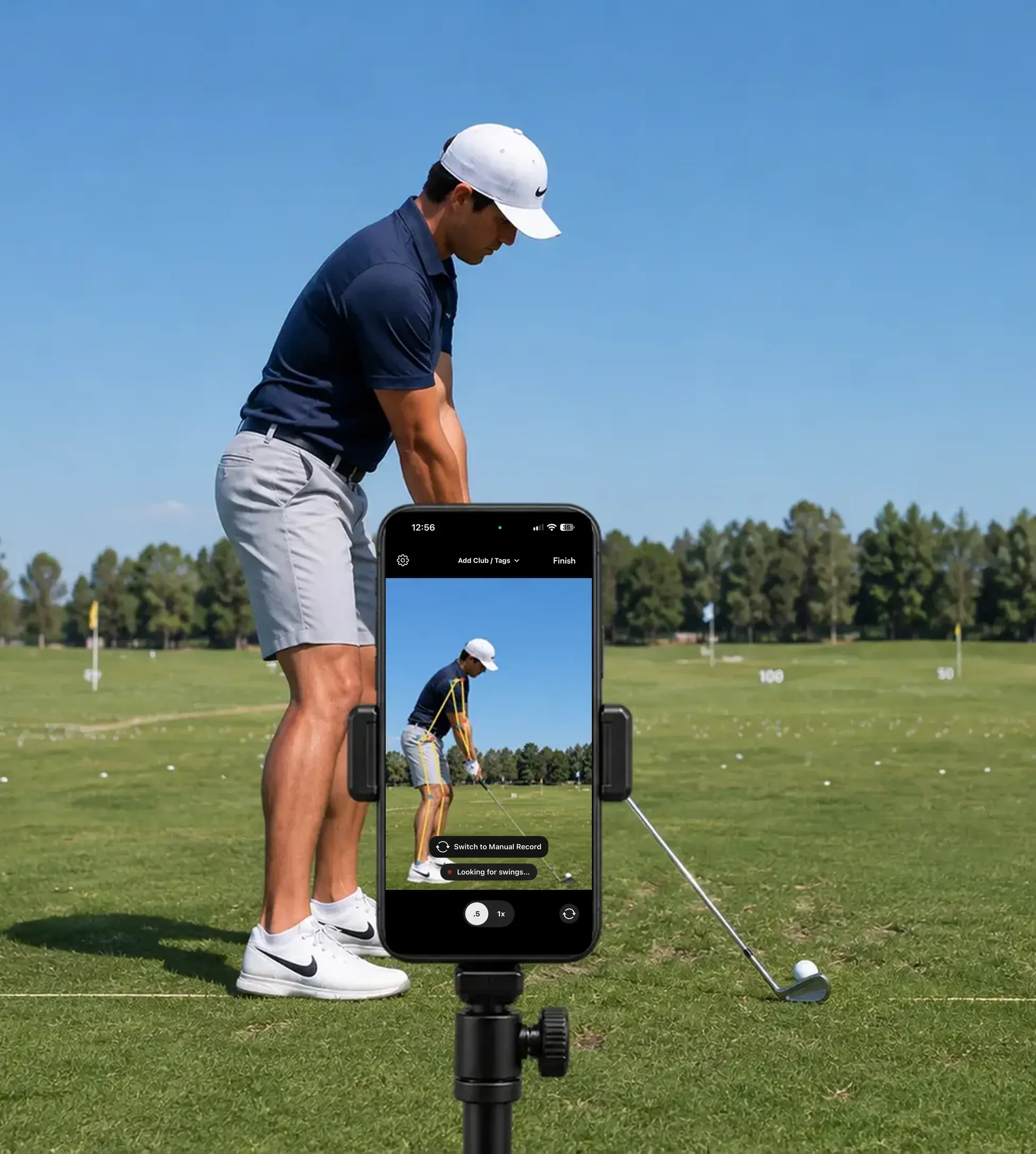
How Skillest Practice records your golf swing: Hit balls. We handle the rest.
Skillest Practice is a golf swing analysis app for iPhone, iPad and Android, built into the Skillest coaching app and free while in beta. You film a whole range session in one take, and it saves each swing as its own clip to slow down, draw on, check with a skeleton overlay, trace the clubhead or compare. Unlike AI swing apps, it doesn't score your swing. It shows you your swing clearly, and a coach you choose can tell you what to change.
- 1
Prop up your phone
Lean it on your bag or use a tripod or phone stand, face-on or down the line. Keep your whole body and the club in the frame.
- 2
Tap record once, then hit balls
Keep your normal routine. No walking back to the phone between shots.
- 3
Get every swing on its own
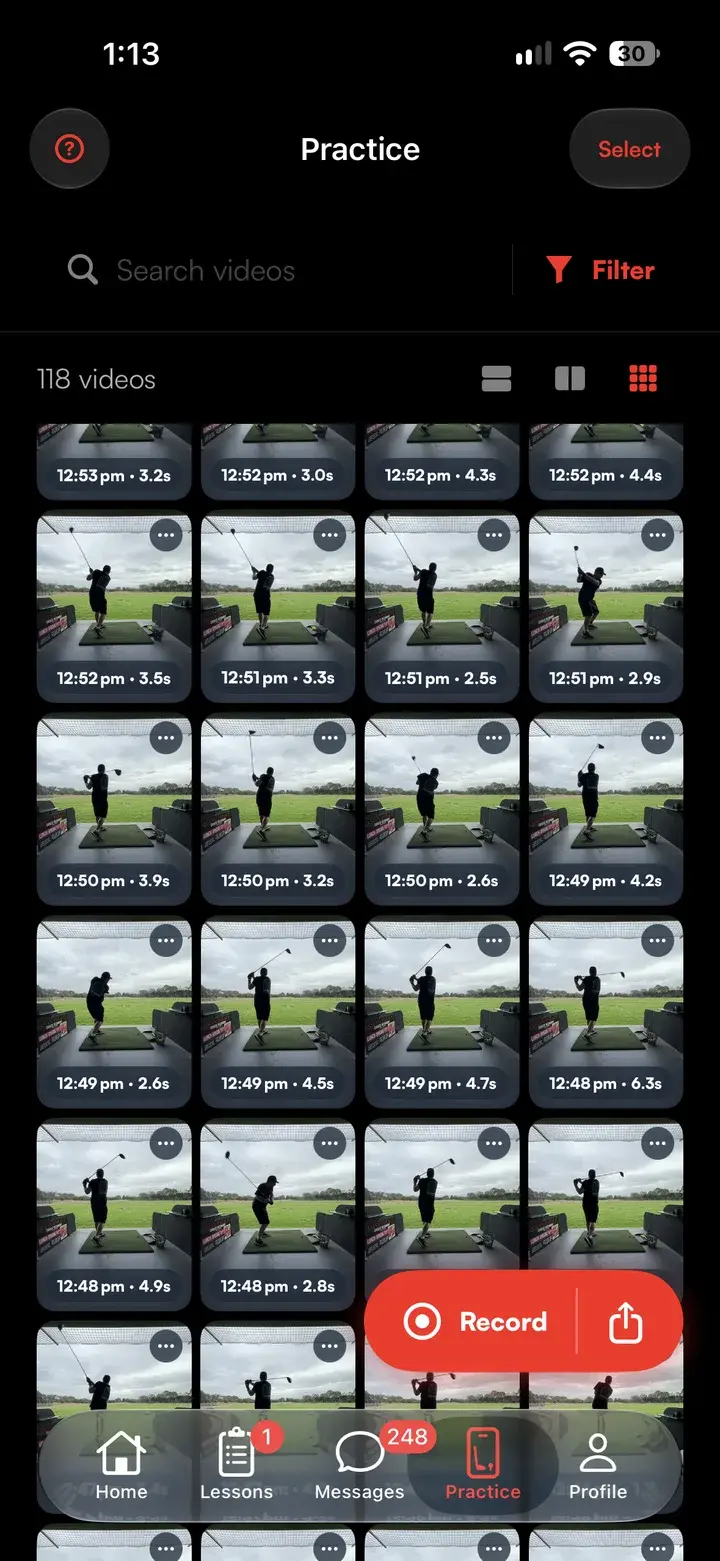
Skillest cuts each swing into its own clip and groups them by session and day. It spots swings with no ball and labels them "Practice swing", so you can hide them.
Already filmed some? Import them from your camera roll, or trim a long video to just the swing.
Slow motion golf swing video analysis: Slow it down. Draw on it.
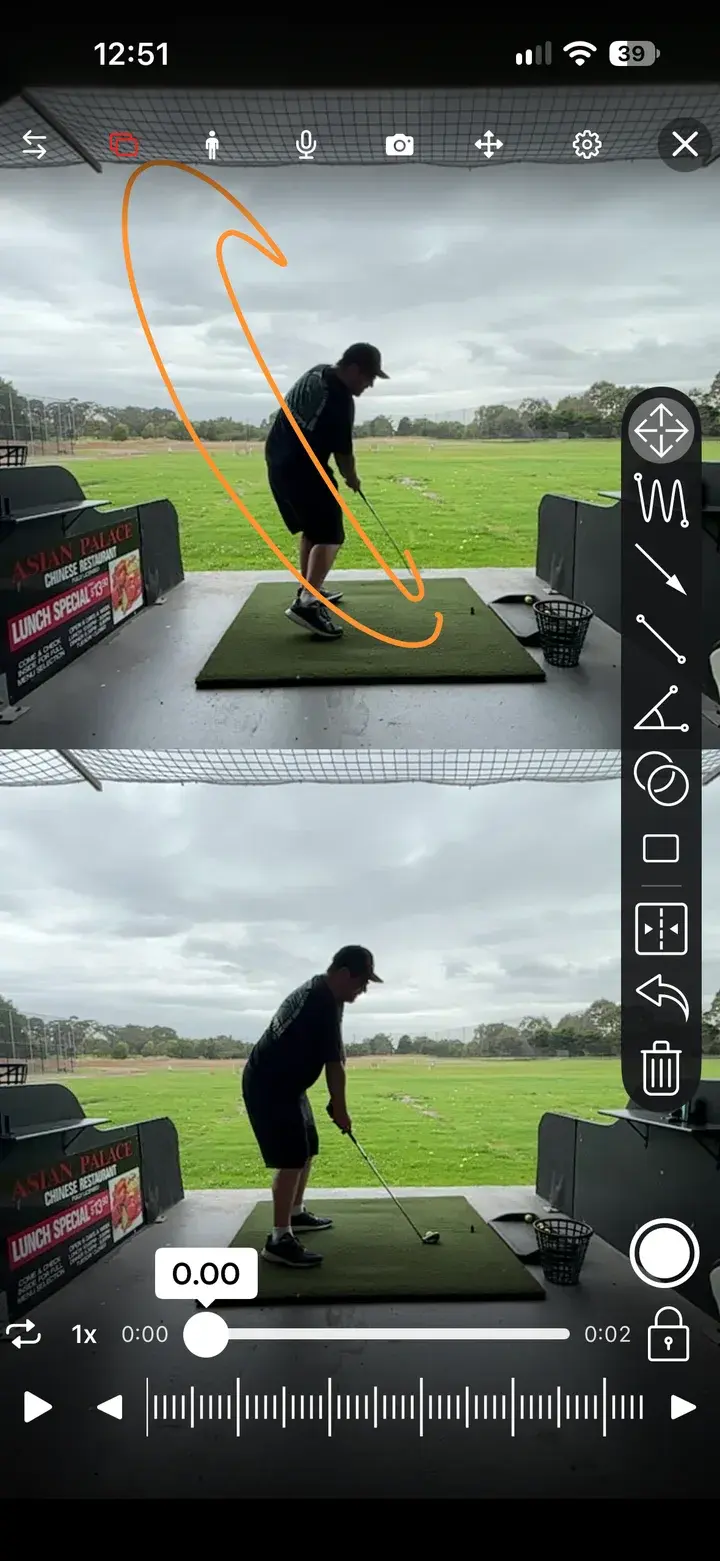
Watch your swing at 1/8 speed or step through it one frame at a time.
- Frame by frame,to stop right at the top or the moment before impact
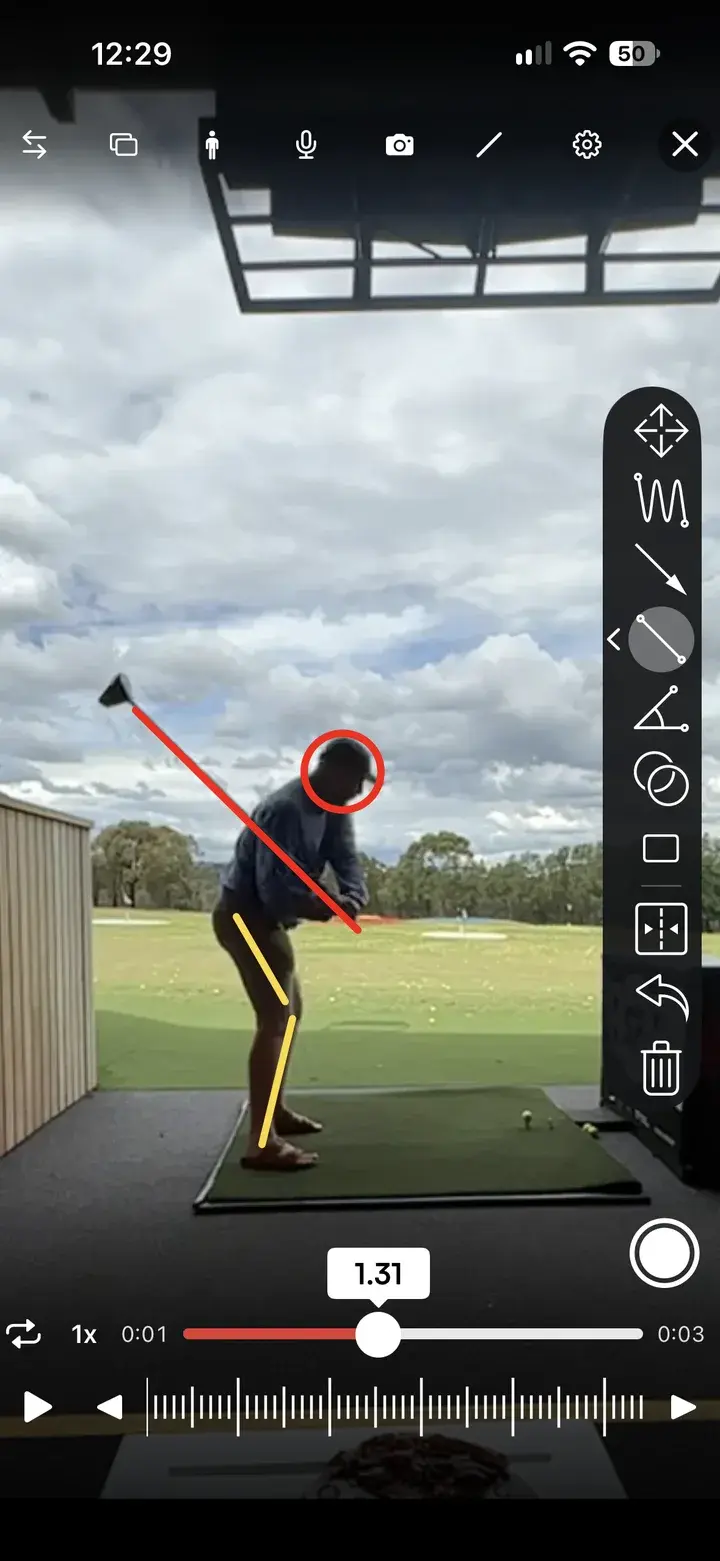
- Six drawing tools.Lines for your swing plane, angles for spine tilt, circles to watch your head, plus arrows, boxes and freehand, in any color
- Mirror flip, zoom and undofor a closer look
- Saved with the clip,so your lines are there next time
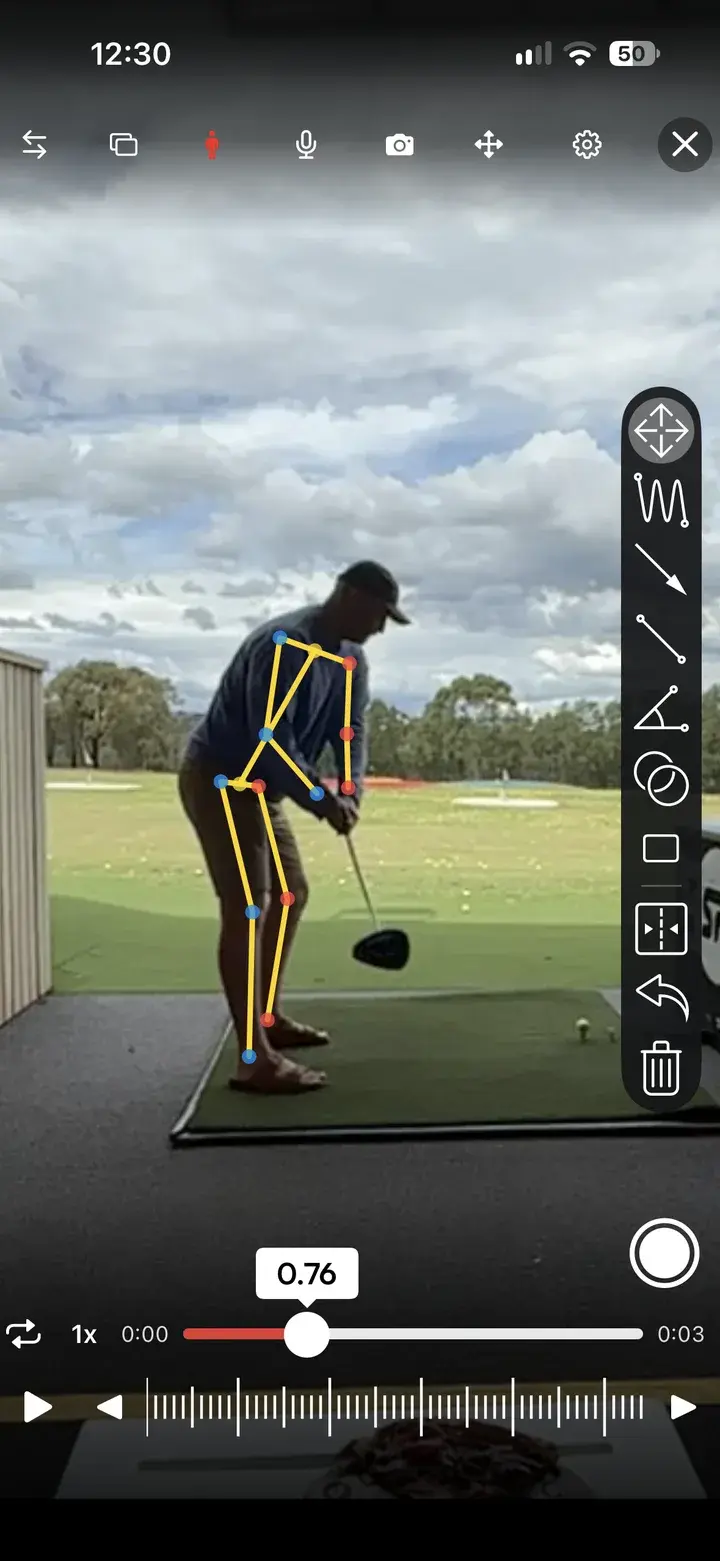
Skeleton overlay for your golf swing: Turn on the skeleton tracker
Switch on a body outline that moves with you through the swing. It makes your hips, shoulders and head much easier to follow.
- Pair it with the angle toolto check posture and spine angle
- Switch it offany time for a clean frame
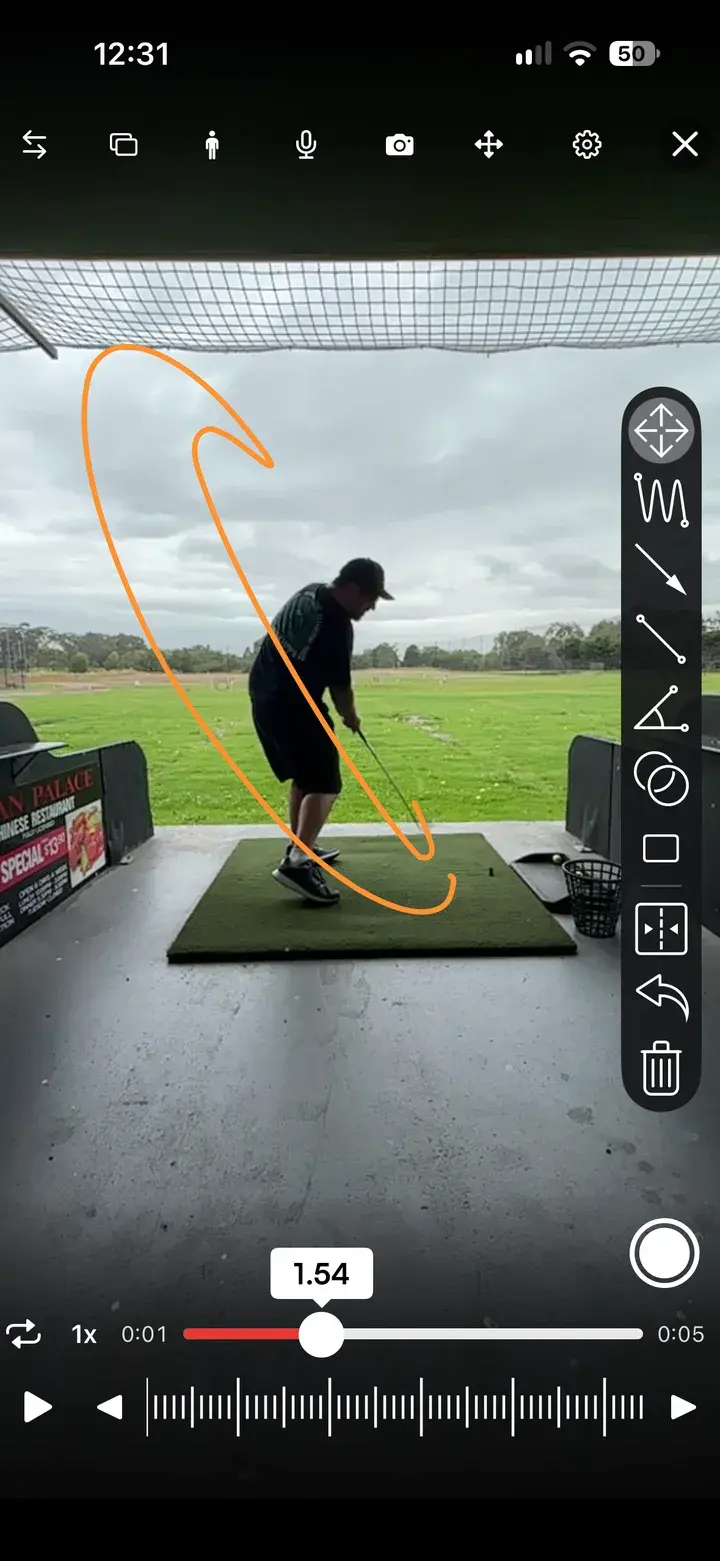
Clubhead tracking for your golf swing: See the path your club takes
Switch on Club Head and a line traces your clubhead through the swing as the video plays. You don't tap or mark anything.
- Automatic.Your phone finds the club and follows it, with nothing uploaded to do it
- Add the Shaft lineto see where the club points at each stage
- Works in compare,so you can see two swing paths together
- It follows the club, not the ball.There is no ball tracer
Compare two golf swings side by side or overlaid: Today's swing next to your best one
Put any two swings side by side, or lay one over the other. Small changes are much easier to spot that way.
- Side by side,or overlaid with an opacity slider
- Any two clips.Today against last month, or your driver against your 7 iron
- Record a voiceoveras you review, to remember what you saw
How to analyze your own golf swing: Look at one thing at a time
You don't need to be a coach to learn from your own video. Film it the same way each time and compare it with a swing you liked.
Film face-on and down the line
Face-on, set the phone square to your chest at about hand height. Down the line, set it behind your hands, pointed along your target line. Use the same spot every session so your swings compare fairly. Our guide on how to record your golf swing covers setup in more detail.
Check one position at a time
Pause at address, the top of the backswing, impact and the finish. At address, your posture and ball position. At the top, where the club points. Through impact, what your head and hips do. At the finish, your balance.
Use lines and angles instead of guessing
Draw a line along the shaft at address, then step to the top and see where the club sits against it. Measure your spine with the angle tool at address and again at impact. Circle your head to see how much it moves.
Change one thing, then compare
Work on one change and film again. Put the new swing next to the old one, side by side or overlaid. If you can't tell what to work on first, that's when a coach helps.
Your golf swing library, tagged by club: Every swing, right where you left it
Find last Tuesday's 7 irons without scrolling your camera roll. Every clip is sorted by session and day.
- Tag by club,from driver to putter, and add your own tags
- Add a title and notesto any swing
- Filterby club, tag, date or practice swings, and search
- Backed up to your account,so a new phone has every swing
- Recently Deletedkeeps clips for 48 hours


Skillest vs GolfFix, V1 Golf, Swing Profile and OnForm: How Skillest compares with other golf swing analyzer apps
| Skillest Practice | GolfFix | V1 Golf | Swing Profile | OnForm | |
|---|---|---|---|---|---|
| Free version | Yes, no swing limit in beta | Yes, with ads | Yes, no compare or overlay | Keeps 3 latest recordings | With a coach, or 14-day trial |
| Paid plan from | None for Practice | $14.99/mo | $9.99/mo | $7.99/mo | $9.99/mo |
| Automatic swing capture | Yes, one clip per swing | Yes | Not listed. Voice start | Yes, unlimited on paid plans | Yes, with a coach or paid plan |
| Slow motion, frame by frame, drawing | Yes, six drawing tools | Yes | Yes | Yes | Yes |
| Side by side or overlay | Both | Compare with past or pro swings | Both, paid | Both | Both |
| Body tracking | 2D skeleton, clubhead tracking | Skeleton, club path | Skeleton, paid | Skeleton | Skeleton paid, 3D on Premium |
| AI feedback (scores or faults) | No | Yes, the core feature | No | Auto reference lines, sway | No |
| Review from a real coach | Yes, paid. You pick the coach | No | Yes, paid. 1 free with a paid plan | A coach on Swing Profile | Your own coach on OnForm |
| Works on | iPhone, iPad, Android | iPhone, iPad, Android | iPhone, iPad, Android | iPhone, iPad, Mac, Android | iPhone, iPad, Mac, Android |
Prices and features checked Nov 27, 2026 on the US App Store and each company's own site. Prices are in USD, lowest monthly plan.
Skillest Practice
Skillest Practice saves every swing as its own clip, with slow motion, drawing tools, a 2D skeleton, clubhead tracking and compare, free while in beta on iPhone, iPad and Android. It suits golfers who want every range swing kept, and a coach of their choosing when they're ready.
GolfFix
GolfFix uses AI to name swing faults and suggest a fix and a drill, with a free version that has ads and an Advanced Plan from $14.99 a month. It suits golfers who want instant AI feedback.
V1 Golf
V1 Golf adds ball tracing and a library of pro model swings to compare against. Paid plans start at $9.99 a month and include one free coach review. It suits golfers who want those extras and online coaching from V1's coaches.
Full comparison: Skillest vs V1 GolfSwing Profile
Swing Profile records hands-free, replays every shot automatically and draws swing plane lines, with a free plan that keeps your 3 latest recordings. It suits golfers who want an instant replay after every shot.
OnForm
OnForm is a video coaching platform built for coaches and their students, free if your coach uses it and otherwise a 14-day trial, then from $9.99 a month. It suits golfers whose coach uses it, or who want high frame rate recording, 3D data and launch monitor support.
Full comparison: Skillest vs OnFormAlso worth a look
Sportsbox 3D Golf turns one phone video into 3D body measurements compared with reference ranges from elite players, and its free plan covers 5 swings a month.
18Birdies is a GPS and scoring app that adds AI swing analysis in Premium and a paid swing review from a certified golf professional.
How we checked
We make Skillest, so weigh this comparison with that in mind. On Nov 27, 2026 we checked each app's US App Store listing and its own website for price, free limits, platforms and features. Where a company doesn't publish something, we say so. Prices change often, and Skillest Practice features and pricing may change after the beta. Spotted something out of date? Email support@skillest.com and we'll fix it.
GolfFix, V1 Golf, Swing Profile, OnForm, Sportsbox and 18Birdies are trademarks of their owners. Skillest is not affiliated with or endorsed by them.
Online golf swing analysis from a coach: Seen your swing? Now find out why.
Online golf swing analysis on Skillest means a coach you choose reviews the swings you recorded and builds a lesson around them.
Practice shows you what your swing is doing. It won't tell you which part to fix first, and working on the wrong thing only grooves it in deeper.
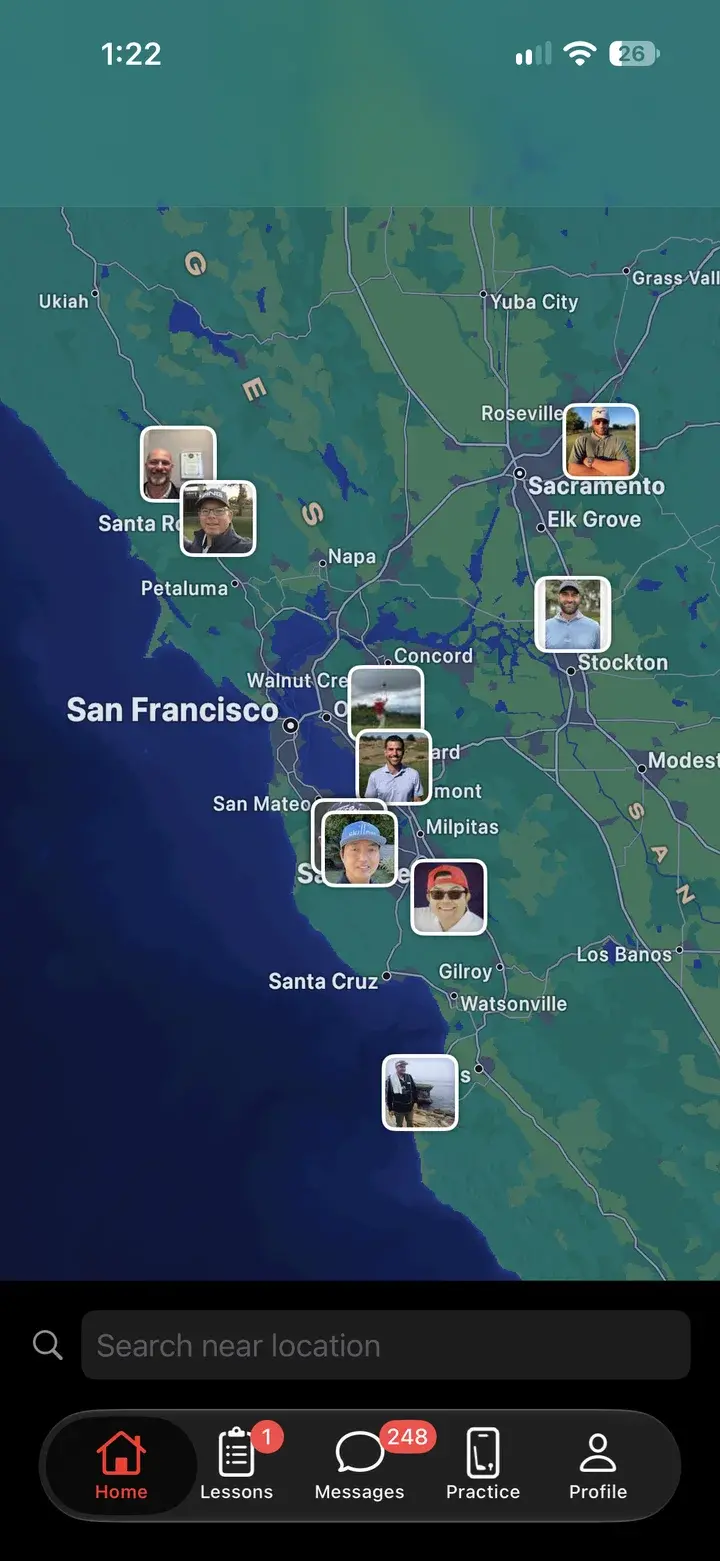
A coach can. Choose from 900+ golf coaches on Skillest by profile, reviews and price, request an online lesson and attach the swings you've already saved.
Not ready to pay yet? Some coaches offer a free intro call or a free swing review.
Your Practice clips are private. A coach only sees the clips you choose to attach.
Golf swing app questions: Your questions, answered
Is there a free app to analyze my golf swing?+−
What is the best free golf swing analyzer app?+−
Can an app use AI to analyze my golf swing?+−
Which phones does Skillest Practice work on, and is it on Android?+−
How do I record my golf swing with my iPhone?+−
Can I compare two golf swings side by side or overlaid?+−
Where are my swings stored, and can a coach see them?+−
How do I get a coach to review my golf swing online?+−
Download Skillest Practice for iPhone and Android: Your next range session, saved swing by swing
Free while in beta. No subscription.
Apple, iPhone and iPad are trademarks of Apple Inc., registered in the U.S. and other countries. App Store is a service mark of Apple Inc. Google Play and Android are trademarks of Google LLC.