
Online golf lessons. Coach anyone, anywhere.
Students upload their videos. You send back annotated analysis, drills and voice feedback. An AI-generated summary lands on the lesson once it's finished. When you need face-to-face, run a live Zoom session. Video lessons remove the geography limits of in-person teaching.
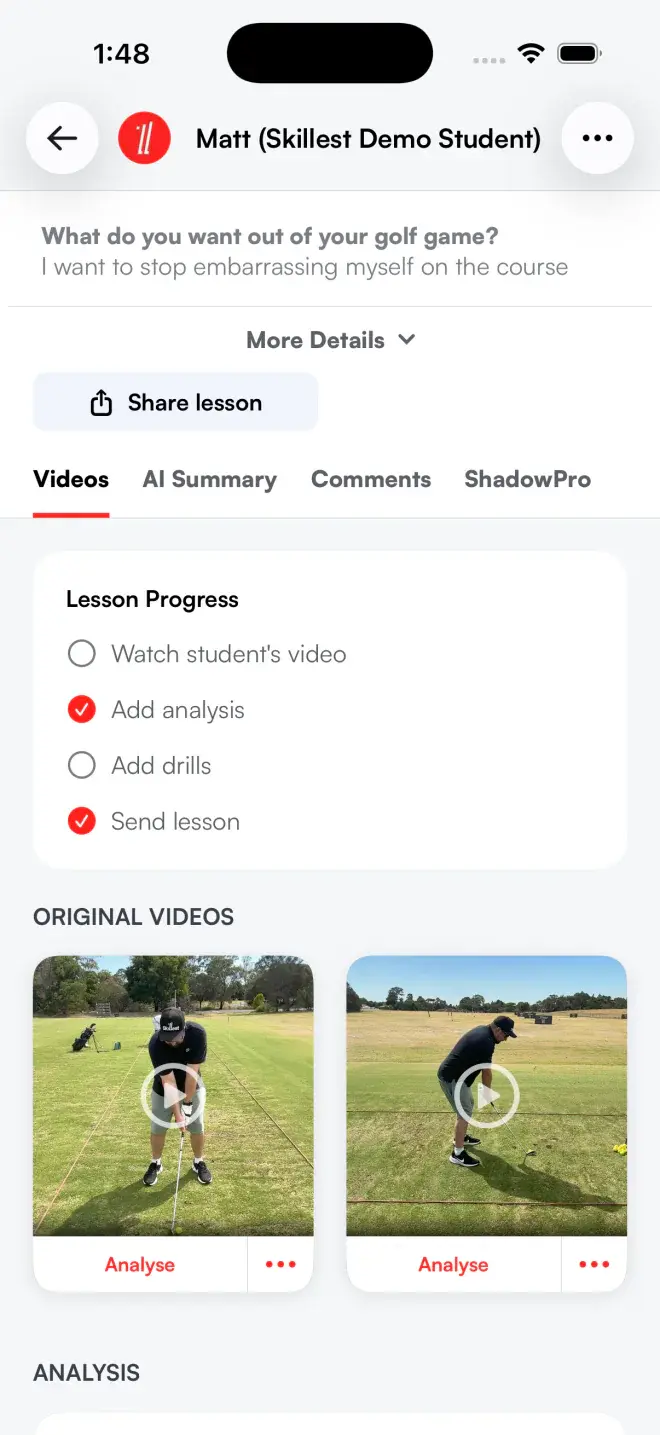
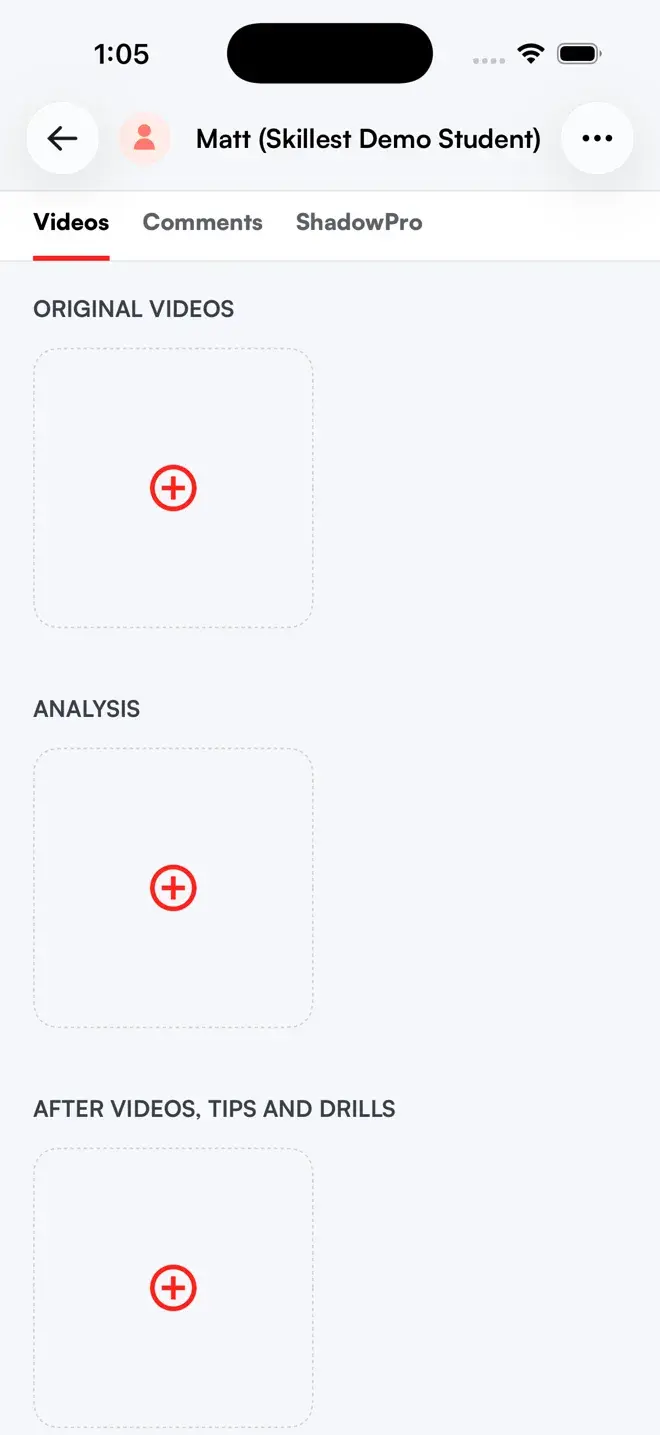
A lesson is structured the way you actually teach.
Every lesson is grouped into the parts that matter. What the student sent, your analysis, and the drills to take away. No loose video files scattered across a chat thread.
- Original Videos.Up to six videos the student uploaded, plus photos for context.
- Analysis.Your annotated feedback videos, added once you submit from the analysis tool.
- After Videos, Tips & Drills.The take-away section students return to between sessions.
- Titles and tags.Name and tag videos so a lesson stays organized.
- Request extra videos.Ask the student for more angles right inside the lesson.
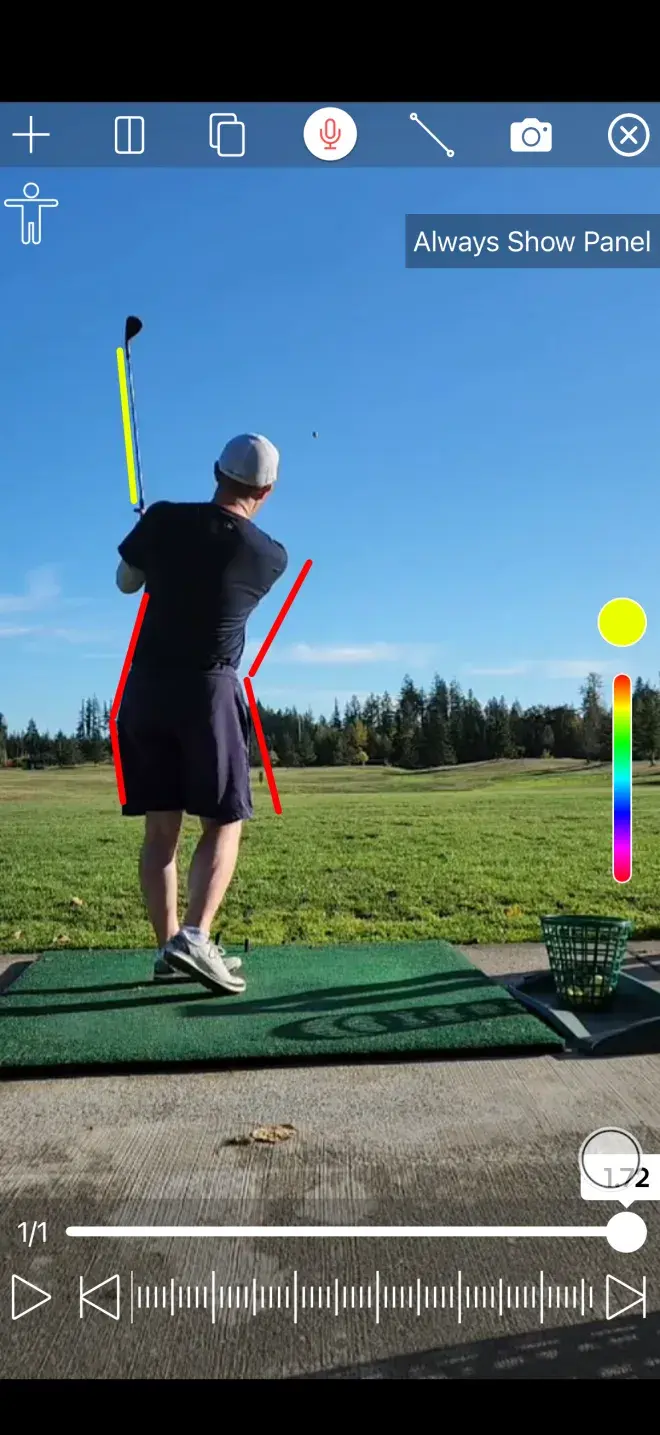
Launch analysis in one tap.
Video lessons remove the travel limits of in-person teaching. Open a lesson and the analysis tool is one tap away on any video. Submit your finished analysis and it's added to the lesson.
- One-tap into the analysis tool.Launch straight from any lesson video, no exporting and re-importing.
- Submit and it's added to the lesson.Finish your analysis and submit it; your annotated video is added to the lesson automatically.
- Voice notes on the video.Record voice feedback alongside the video. Add written notes in the lesson's comment thread.
- Frame-by-frame precision.Scrub to the exact frame and draw lines, angles and shapes over the swing.
- Coach beyond your postcode.Teach students in any city without either of you travelling.
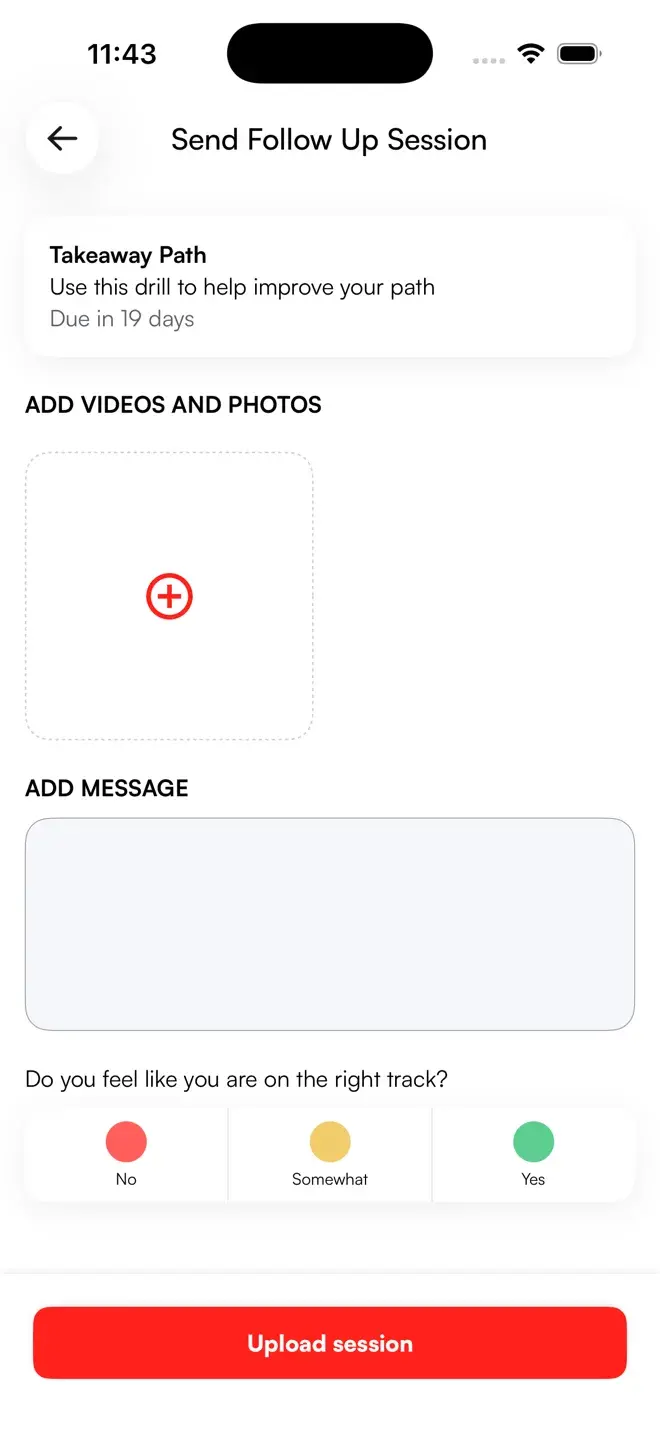
Send students home with a follow-up session.
Feedback only sticks if there is something to practise. Attach a follow-up session, a single drill with reference videos and a due date, to any lesson, so students know exactly what to work on next.
- One drill, one due date.Give the follow-up session a title, description and a date it's due.
- Reference videos attached.Attach the videos that show the drill done right.
- Tied to the lesson.The follow-up session lives with the lesson, not in a separate doc.
- Returned to between sessions.Students open the take-away section whenever they practise.
- Builds the lesson history.Each follow-up session stays attached to the lesson, part of the student's record.
Every lesson has its own thread, rating and follow-up state.
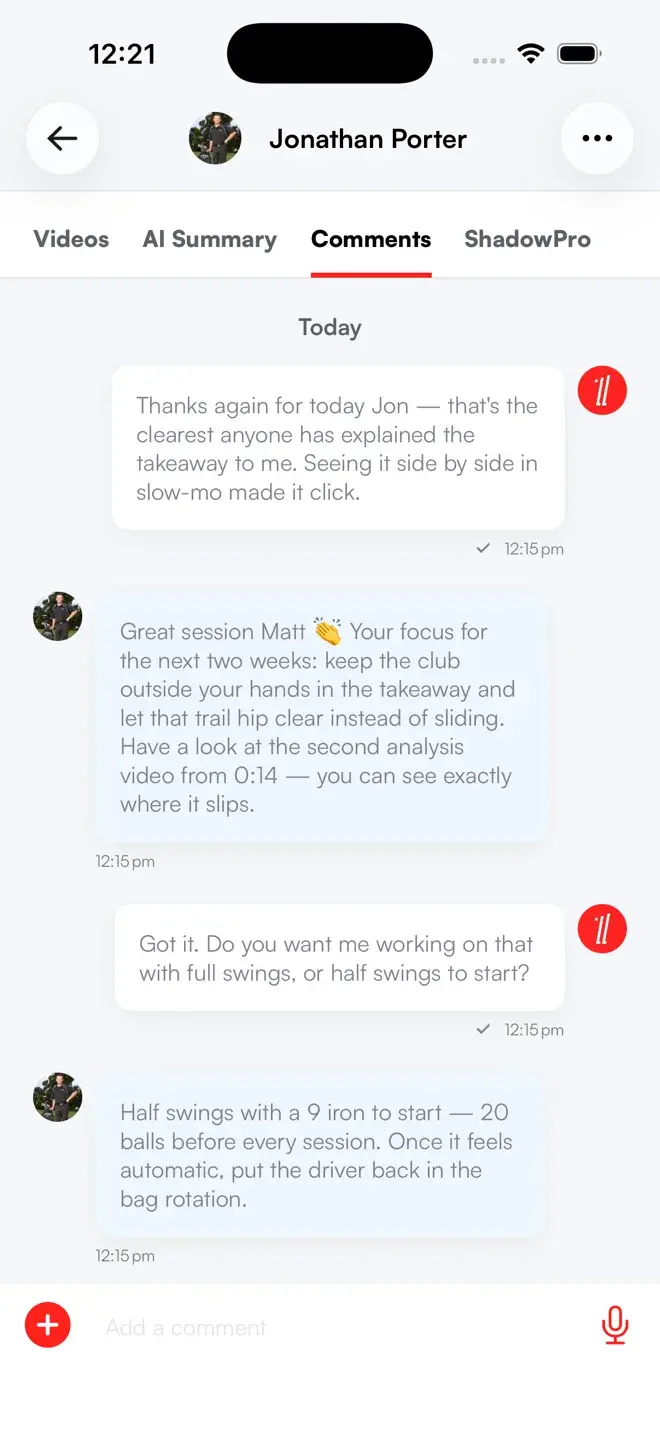
Coaching does not stop when you hit send. Each lesson carries an inline comment thread and a rating, so the conversation and the feedback loop stay attached to the work.
- Inline comment thread.Discuss the lesson in context, with an unread badge so nothing is missed.
- Lesson ratings & reviews.Students rate each lesson so you see what is landing.
- Follow-up state.Lessons track where they are so nothing slips through.
- Searchable lesson history.Find any lesson later by student name or lesson title, comments and ratings included.
I left a career at Google to chase my dream of becoming a golf coach — and Skillest made it possible. I now coach 100% online, on my own terms, and help players from every corner of the globe.
 Tyler Coonts · Skillest coach
Arccos, built into your coaching platform.
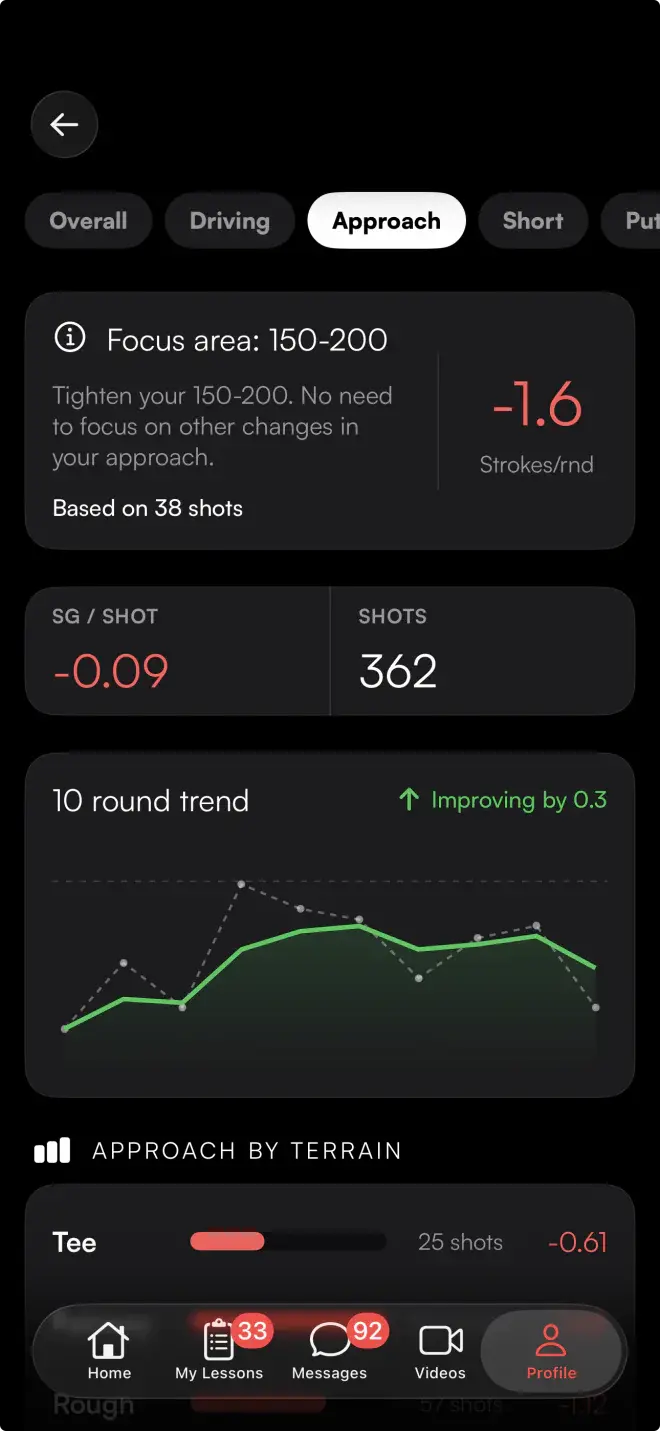
Arccos is the Official Game Tracker of the PGA TOUR. Students connect their account once and their rounds flow into Skillest: hole-by-hole scorecards, club distances and strokes-gained breakdowns for driving, approach, short game and putting. Your lessons stop being about the swing in isolation and start being about what the scorecard says.
- Connect with one sign-in.Students sign in with their Arccos account in the Skillest mobile app, and can disconnect any time.
- Round stats and scorecards.Hole-by-hole scorecard and round-level stats inside the lesson.
- Club distances.See real measured distances per club from on-course play.
- Strokes-gained breakdowns.Driving, approach, short game and putting, each as a strokes-gained view.
- Coach what is costing strokes.Aim the lesson at the part of the game the data says is losing shots, not the part that is easiest to see.
Go face-to-face over Zoom, right inside Skillest.
Run live one-to-one or group sessions over Zoom right from Skillest, and request a live session from any student thread.
- Live Zoom sessions.Join one-to-one or group sessions when face-to-face is the right call.
- Request a session from chat.Send a Zoom request straight from a student's message thread.
- Sell live sessions.Offer Zoom lessons as packages or per-period allowances on a plan.
- Organize it all from Skillest.Schedule and request live sessions without leaving Skillest; the call itself opens in Zoom.
- Coach anywhere.Distance is no longer a limit on who you can teach live.
Everything a remote video lesson needs.
Up to 6 videos
Students attach up to six original videos per lesson, plus photos for context.
3 grouped sections
Original Videos, Analysis, and After Videos, Tips & Drills, structured the way you teach.
One tap away
Launch the analysis tool from any lesson video; submit it and it's added to the lesson.
One drill, one due date
Attach one follow-up session, with a due date and reference videos, to any lesson.
Zoom built in
Schedule and request one-to-one or group Zoom sessions from Skillest. The call itself opens in Zoom.
Ratings & reviews
Students rate every lesson so you see what's landing.
One lesson view, not a folder of files and a chat app.
| Skillest | Email + Drive | A video app | |
|---|---|---|---|
| Structured lesson layout | ✓ | − | Partial |
| Up to 6 videos per lesson | ✓ | Partial | Partial |
| Analysis tool in one tap | ✓ | − | Partial |
| Drills & follow-up sessions attached | ✓ | − | − |
| Ratings, reviews & comment thread | ✓ | − | − |
| Live Zoom sessions built in | ✓ | − | − |
Frequently Asked Questions
Online lessons, answered.
How many videos can a student upload per lesson?+−
Can I run live lessons?+−
How do students know what to practise?+−
Can students rate their lessons?+−
What does Arccos add for a coach?+−
Do you support in-person lessons too?+−
Coach anyone, anywhere. Built into the software you run on.
Earn more, save time, and deliver world-class coaching, on your terms.
7-day free trial for new coaches