
A real coaching inbox. Not a group iMessage.
Every message, text, voice note, swing video, threaded by student and tied to their coaching plan. Broadcasts and automated messages let one coach nurture hundreds of students. Polls and group chats build community. Most coaching happens between sessions.
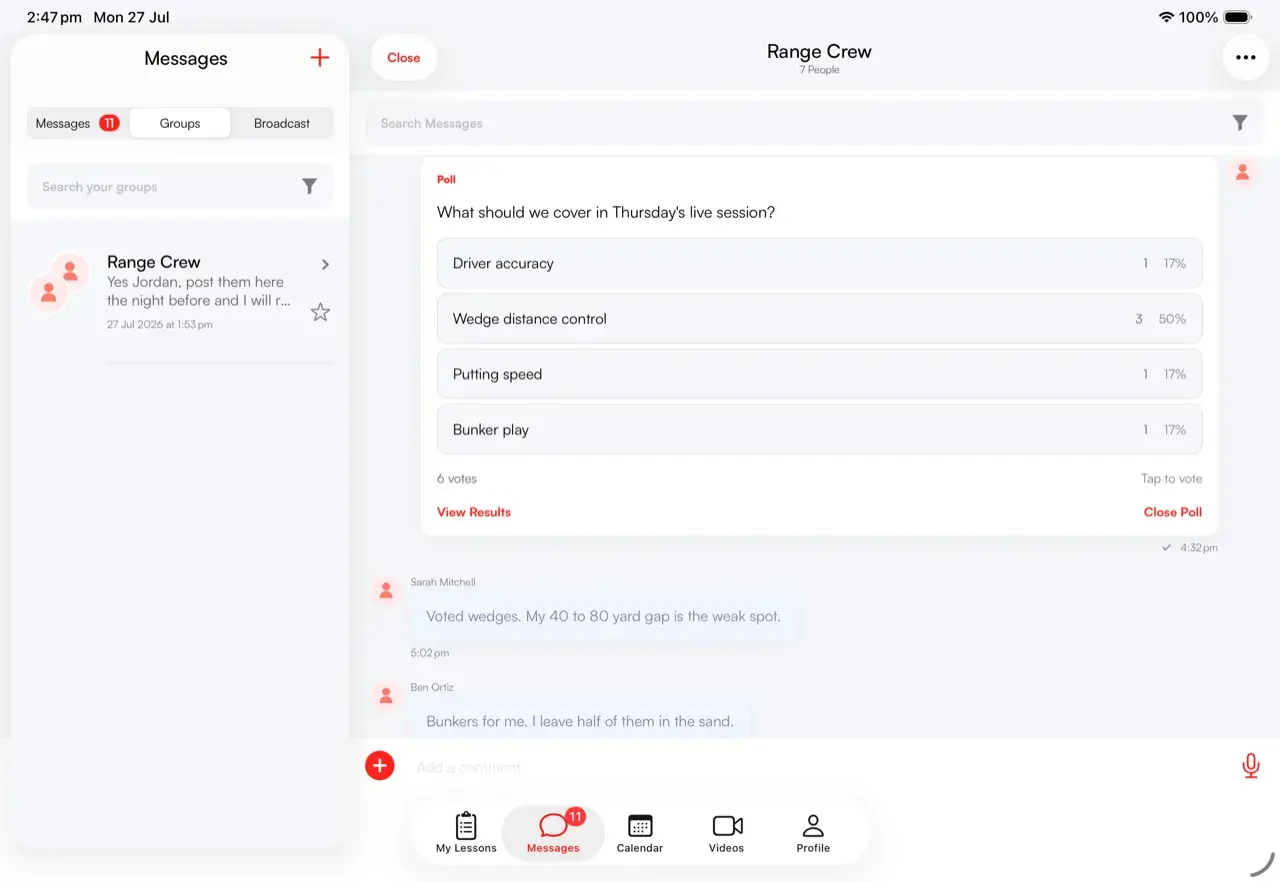
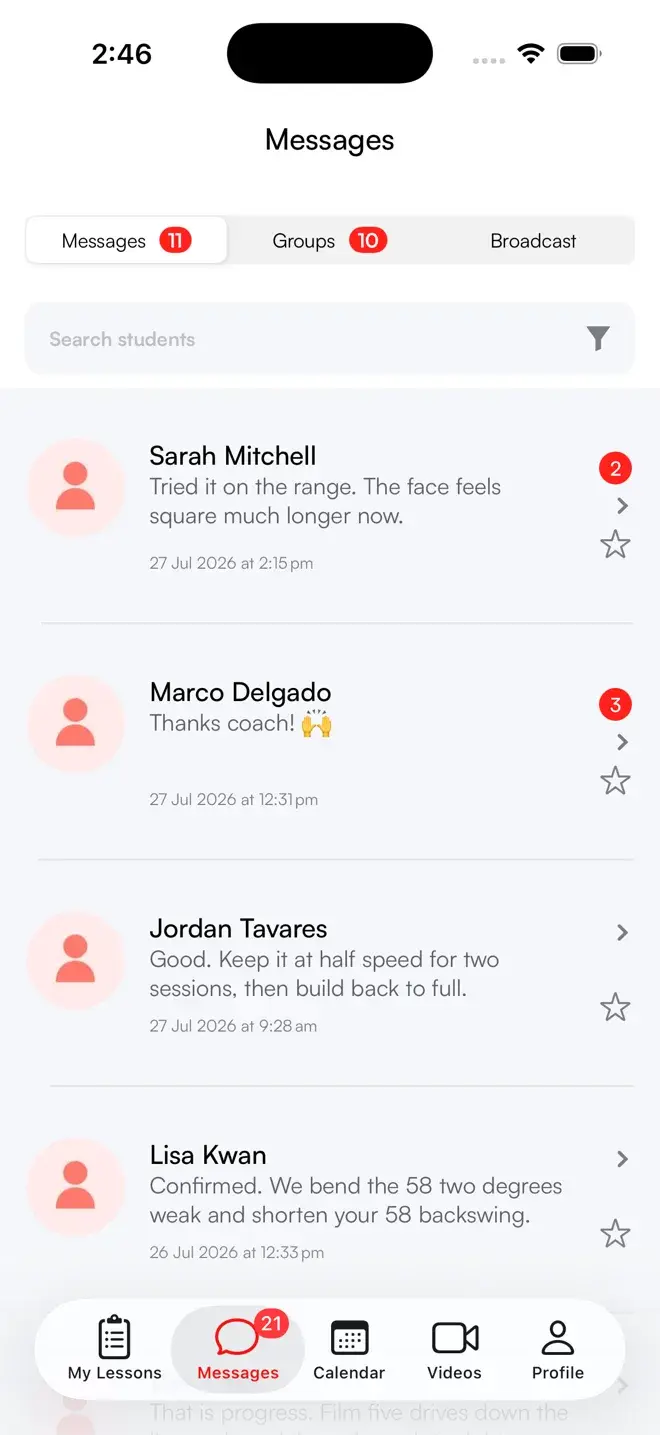
Every conversation, threaded by student and tied to their plan.
Direct and group chat built for coaching. Each thread carries the student's plan and history, so you always know who you're talking to and what they've bought.
- Direct and group chat.1:1 threads plus group chats with admin controls.
- Threaded by student.Each conversation shows their plan and last contact.
- Reactions and quote-replies.React to a message or quote it to keep context clear.
- Read receipts and Seen-by.See who read a message, the read count and percentage.
- Send from the toolbar.Products, follow-up sessions and stored videos, straight from chat.
More than text. The message types coaching actually needs.
Reply with a voice note from the range. Send a swing video, a follow-up session, or a package to buy. Propose a live lesson without leaving the thread.
- Voice notes, video, photos and files.Reply on the range from your phone.
- Follow-up sessions and stored videos.Send a drill plan or a library video inline.
- Products in the thread.Drop a package or subscription a student can buy on the spot.
- Zoom and upload requests.Propose a live lesson or ask for a swing to review.
- Analyse a video from chat.Tap a swing sent in the thread and launch straight into the analysis tool.
One announcement. Hundreds of students. Per-message read stats.
Broadcast lists are 1-to-many announcements with dynamic member selection. Send once and reach the whole list, then see exactly who opened it.
- 1-to-many announcements.Send one message to every member of a list.
- Dynamic member selection.Build the audience for each broadcast you send.
- Per-message read stats.See the read count and percentage for the announcement.
- Replies stay private.Each student answers in their own thread, not a noisy group.
- Nurture at scale.Keep hundreds of students close without the busywork.
Welcome, onboard and re-engage. Without lifting a finger.
Automated messages fire based on who a student is. Greet new followers, thank subscribers, follow up with purchasers, and check in with your in-person sign-ups.
- Triggered by audience.Followers, subscribers, purchasers and in-person sign-ups.
- Welcome new students.A warm first message lands the moment they follow.
- Thank subscribers and buyers.Auto-confirm a purchase and set expectations.
- Onboard in-person sign-ups.Reach students you added without typing it twice.
- Set it once.Configure in message settings and let it run.
Skillest has given me the freedom to run a global coaching business. I've built deep, long-term relationships with students I never would've met otherwise — especially in the U.S., which was completely inaccessible to me before. It's the best move I've made in my career.
 Alex Clapp · Skillest coach
Build a community around your coaching, not just a client list.
Group chats with admin controls turn solo students into a community. Run admin-only polls with live vote counts to plan clinics, gather feedback, or just keep people engaged.
- Group chats with admin controls.Run clinics, cohorts and academies in one place.
- Polls for group chats.Admin-created polls with live vote counts.
- Live results.Watch votes come in as students respond.
- Reactions and quote-replies.Keep group threads readable and on-topic.
- Send products to the group.Open enrollment for the next clinic right in the chat.
A thoughtful reply, one tap away.
AI-suggested reply chips sit above the composer, reading the conversation so you can answer fast without sounding like a robot. You always send the final word.
- Contextual reply chips.Suggestions based on the thread you're reading.
- Tap, tweak, send.Use a suggestion as-is or edit before sending.
- Clear the inbox faster.Keep up with volume without losing your voice.
- You stay in control.Nothing sends automatically, you choose every reply.
- Built into the composer.No separate tool, no copy-and-paste.
A full messaging system, built for coaches.
Direct & group
1:1 threads and group chats with admin controls for clinics, programs and academies.
10 rich types
Text, image, video, audio, file, Zoom request, upload request, follow-up session, product and poll.
1-to-many
Announce to a dynamic member list with per-message read stats on every send.
Seen by
See who read a message, the read count and percentage, and a full Seen-by view.
Audience triggers
Auto-messages for followers, subscribers, purchasers and in-person sign-ups.
Suggested replies
Contextual reply chips above the composer so a thoughtful answer is one tap away.
Built for coaching, not borrowed from your phone.
| Skillest | Group chat apps | ||
|---|---|---|---|
| Threaded by student & plan | ✓ | − | Partial |
| Voice notes & swing video | ✓ | ✓ | Partial |
| Broadcasts with read stats | ✓ | Partial | Partial |
| Automated messages by audience | ✓ | − | Partial |
| Polls & group admin controls | ✓ | Partial | − |
| AI-suggested replies | ✓ | Partial | − |
| Send products & follow-up sessions | ✓ | − | − |
Frequently Asked Questions
Messaging, answered.
Is this a group chat or real coaching software?+−
How do broadcasts work?+−
What can automated messages do?+−
Can I run polls and group chats?+−
Do the AI-suggested replies send on their own?+−
Stay close to every student, without the busywork.
Earn more, save time, and deliver world-class coaching, on your terms.
7-day free trial for new coaches