
The software stack for serious coaching businesses.
Skillest is one product that does what coaches currently stitch together from Calendly, Zoom, Stripe, Vimeo, Google Drive and a course platform. Purpose-built for golf coaches, with the tooling depth of a dedicated swing-analysis app.
$59/mo · 7-day free trial · 350,000+ golfers on Skillest
Every feature you need to deliver lessons and run the business.
Swing analysis
Frame-by-frame video, drawing, voice-over, comparison.
ExploreOnline lessons
Structured video lessons with analysis and drills, plus live Zoom.
ExploreIn-person lessons
Record range and studio sessions. Every student leaves with the lesson.
ExploreClinics & webinars
Group clinics in person, webinars online. Single sessions or a series.
ExploreMessaging
Threaded coaching chat with voice + video.
ExploreScheduling
Two-way calendar sync with self-booking.
ExploreCourses & content
On-demand courses, video libraries and paid communities.
ExploreAI coaching tools
AI lesson summaries, transcripts and ShadowPro practice partner.
ExploreStudent CRM
Every student, package, transaction and lesson in one place.
ExploreProfile & discovery
A discoverable, AI-built profile that gets you found and booked.
ExploreArccos integration
Your students' Arccos rounds, inside the lesson. Arccos is the Official Game Tracker of the PGA TOUR.
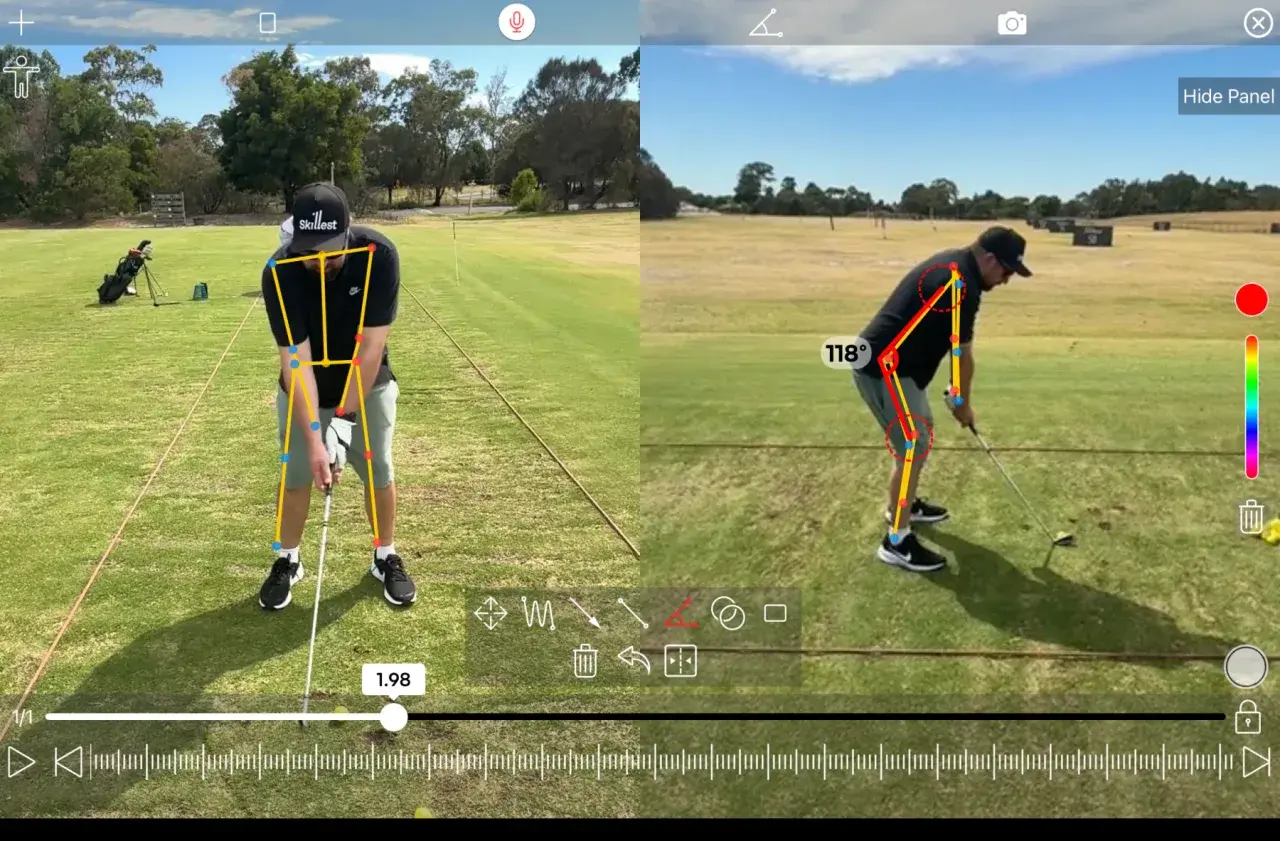
ExploreFrame-by-frame video review with the tools coaches actually use.
A full-featured video editor purpose-built for swing analysis. Not a generic video player with a 'draw' button bolted on.
- Up to 240fps capture and playback.Scrub frame-by-frame at tour-level resolution.
- A full drawing toolkit.Lines, arrows, angles and shapes that persist across frames, plus an automatic pose-skeleton overlay.
- Side-by-side comparison.Today's swing vs. last lesson, vs. a tour-pro reference. Synced playhead.
- Voice-over recording.One tap to narrate while you draw, rendered into a single shareable video.
- Upload to share with your student.Send the finished analysis straight to their lesson.
Online lessons your students upload. You coach from anywhere.
Video lessons are the core Skillest workflow. Students upload up to 6 videos, you send back annotated analysis, drills and a summary, and you switch to live Zoom whenever face-to-face is the right call.
- Up to 6 videos per lesson.Students upload from any angle you ask for, plus photos for context.
- One tap into the analysis tool.Launch straight from any lesson video, no exporting and re-importing.
- A follow-up session with a due date.Attach one to any lesson so students know what to work on next.
- Ratings and comment threads.Feedback and follow-up stay attached to the lesson.
- Live Zoom sessions built in.Switch to a real-time conversation without leaving Skillest.
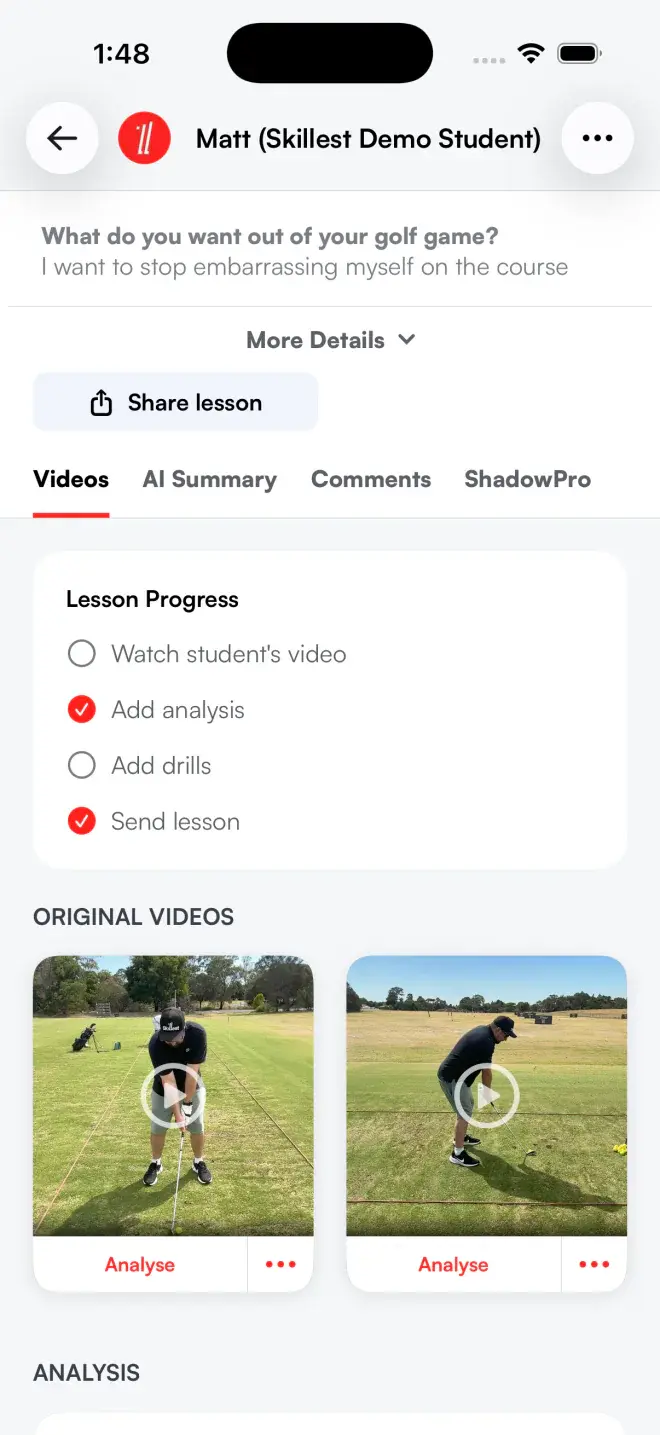
In-person lessons, with a record the student keeps.
Most in-person lessons vanish the moment the student drives home. On Skillest the coach records the session at the range or studio, and the student leaves with the videos, analysis and drills already in their plan.
- Booked through your calendar.In-person sessions sit in the same calendar as everything else you teach.
- Paid with in-person packages and plans.Sell packages, subscriptions or one-off sessions and get paid before the lesson starts.
- Record swings during the session.Capture video at the range or in the studio, right from your phone.
- The lesson lands in the student's account.Videos, analysis and drills attach automatically, no separate upload step.
- Part of their searchable history.In-person lessons sit alongside online lessons in the student's full record.
Group coaching, from range clinics to online webinars.
One student per hour is not the only way to earn. Run in-person clinics and online webinars alongside your 1:1 coaching, as one-off sessions or a multi-week series.
- In-person clinics and online webinars.A location for the range, a meeting link for the webinar.
- Single session or a series.A Saturday short-game clinic or a 6-week program.
- Caps and spots remaining.Limit the group and let urgency fill the last seats.
- Prepaid, pay-later or free.Pick the payment model per session.
- Enrollment tracked per session.Who's booked, who's paid, and expected revenue at a glance.
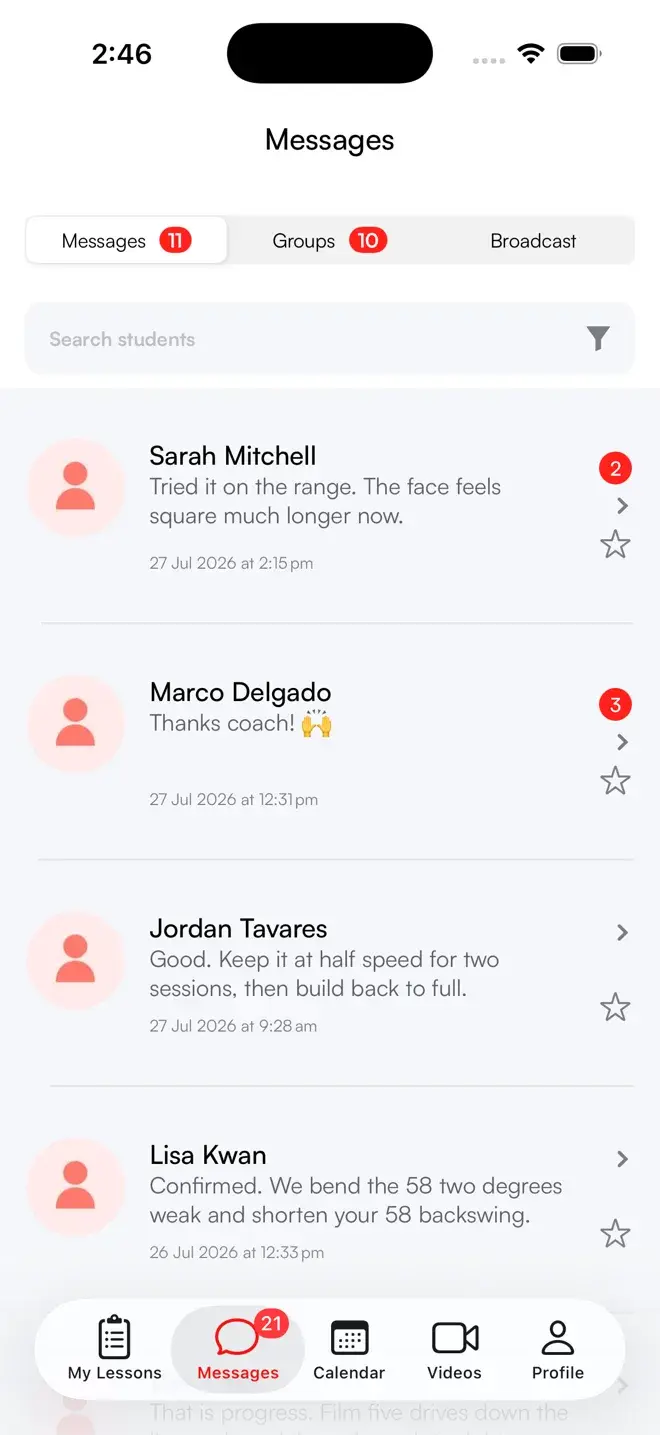
A real coaching inbox. Not a group iMessage.
Every message, from text to voice notes to swing videos, is threaded by student and tied to their coaching plan. Most coaching happens between sessions.
- Voice notes, video, photos.Reply on the range from your phone.
- Threaded by student, indexed forever.Search by keyword, drill, or date.
- Broadcasts & automated messages.Nurture hundreds of students from one place.
- Polls and group chats.Build community around your coaching.
- AI-suggested replies.Contextual reply chips above the composer.
A calendar built for the way coaches work.
Two-way sync with your real calendar. Self-booking around your real availability. Pre-paid or pay on the day available.
- Two-way sync.Google Calendar busy time, in both directions.
- Multiple locations & schedules.Run several facilities from one calendar.
- Public booking page.One link takes bookings around your real availability.
- Vacation / break mode.Time off actually means time off.
- Zoom built in.Online sessions auto-create the meeting link.
Productize your knowledge once. Sell it forever.
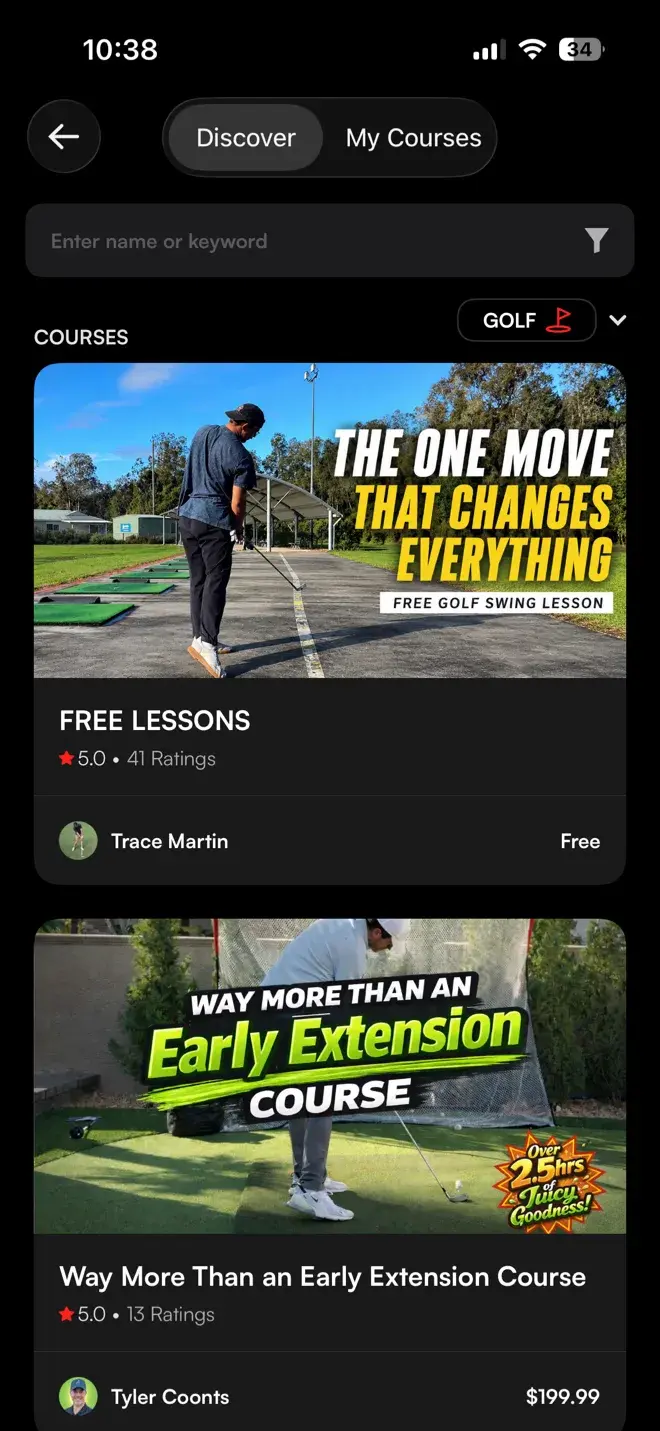
Courses, video libraries and paid communities you can sell, or offer free for lead-gen, separate from your 1:1 lessons.
- Paid or free lead-gen.Gate free courses behind an email opt-in.
- Drip release.Release content over days to keep students engaged.
- Bundle into subscriptions.Include courses free for specific plans.
- Buyer & lead group chats.Separate communities for paying vs free.
- Sell your video library.Subscriber-only videos turn your library into a membership perk.
Coach from your pocket on iPhone and iPad.
Run your lessons, messages, courses and bookings from the native app, not a website squeezed into a browser. Your students join on iPhone, Android or the web.
- Coach on iPhone and iPad.Coach mode runs on iOS 17 or later, with the full toolkit on the device you carry.
- Capture built in.Slow-motion filming with swing detection and one-tap auto-trim.
- Push notifications that deep-link.Straight to the exact lesson, message or booking.
- Students on any device.iPhone, Android or the web. No download needed to get started.
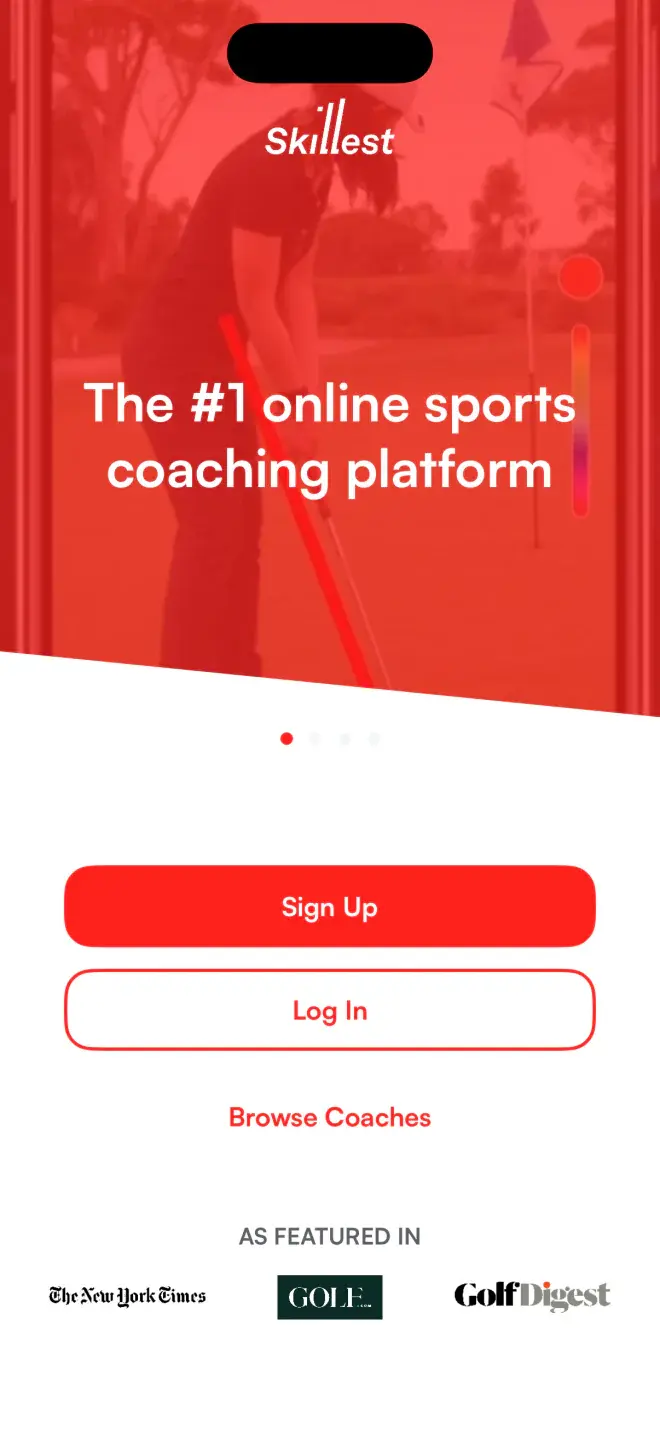
Replace the whole stack with one tool built for coaching.
| Skillest | Calendly + Stripe | A swing-analysis app | |
|---|---|---|---|
| Swing analysis & telestration | ✓ | − | ✓ |
| Scheduling & self-booking | ✓ | ✓ | − |
| Subscriptions & packages | ✓ | Partial | − |
| Messaging tied to the student | ✓ | − | − |
| Courses & group programs | ✓ | − | − |
| Student records in one place | ✓ | − | − |
Frequently Asked Questions
Questions, answered.
Is everything really one subscription?+−
Can I use it for in-person coaching?+−
What do I need to coach on Skillest?+−
Do my students need an app?+−
How fast can I get set up?+−
One platform. Every part of your coaching business.
Earn more, save time, and deliver world-class coaching, on your terms.
7-day free trial for new coaches