
The in-person lesson that doesn't vanish on the drive home.
Face-to-face lessons at the range or your studio, recorded in the Skillest app while you teach. The student drives home with the swing videos, the analysis and the drills in their plan. You keep the booking, the payment and the history in the same product.
Fill the range without the back and forth.
Your public booking page takes in-person lessons around your real availability. Offer a free consultation, a lesson pack, or a Zoom session, and every booking lands on a calendar that colour-codes in-person and online at a glance.
- One booking page.Share one link that offers in-person plans, free consultations and Zoom packages.
- Add in-person students.Bring the players you already coach onto Skillest in a few taps.
- Two-way Google sync.Personal events block your slots, and Skillest bookings appear in Google.
- Books your real hours.Students pick from open slots only, never a time you are busy.
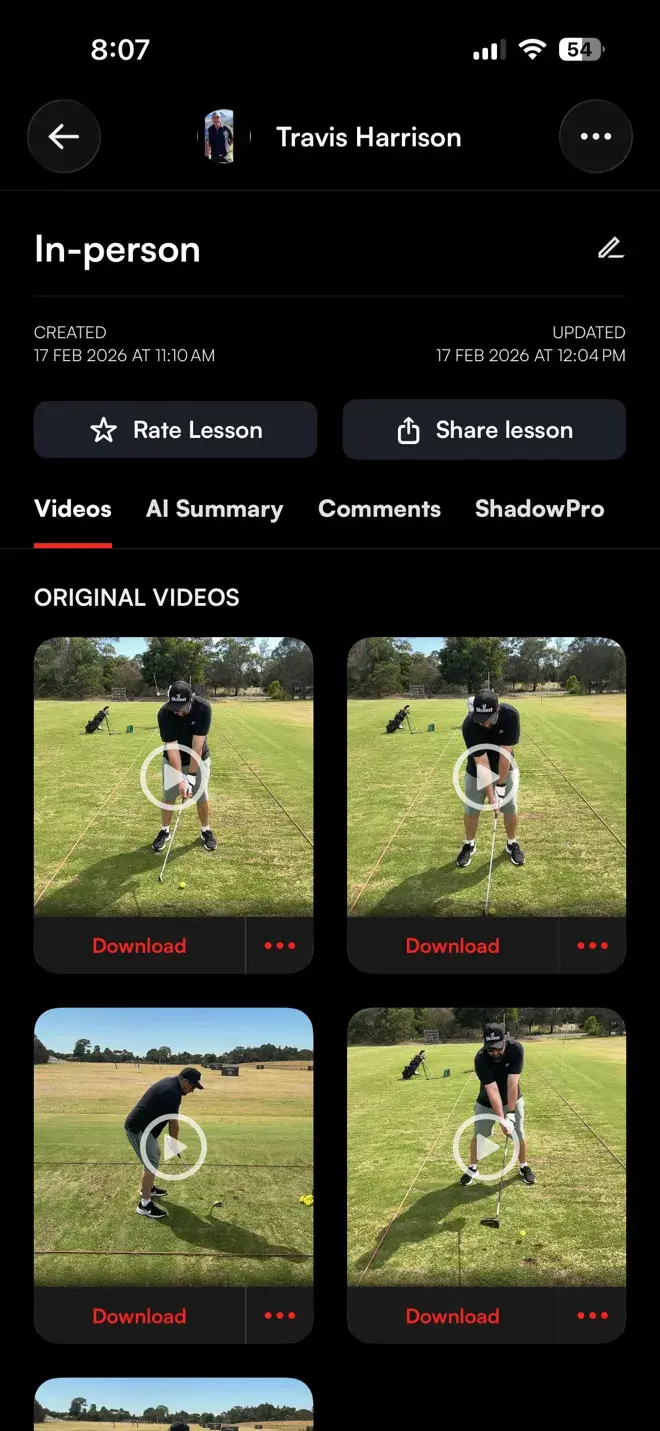
Record the swing on your phone while you teach.
Pull out your phone at the range and capture the swing in slow motion. Every swing is flagged as you film, auto-trim cuts the clip to the swing, and the video is ready to mark up on the spot or after they leave.
- Slow-motion capture.Record the swing at high frame rate on the phone in your pocket.
- Live swing detection.Each swing is flagged on screen the moment it happens.
- Auto-trim.The clip is cut to the swing, so there is nothing to scrub through.
- Mark it up.Draw lines and angles on the video and talk the player through it.
- Saved to the lesson.Every clip attaches to the lesson, not lost in your camera roll.
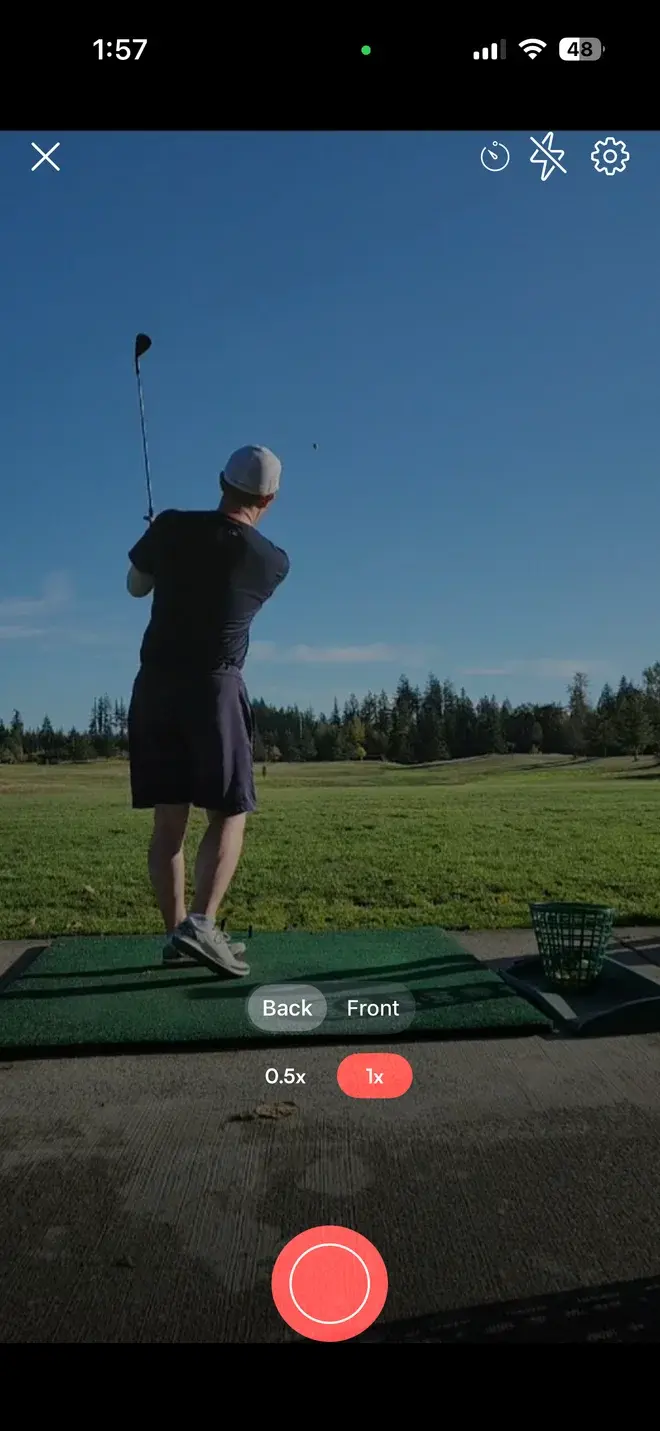
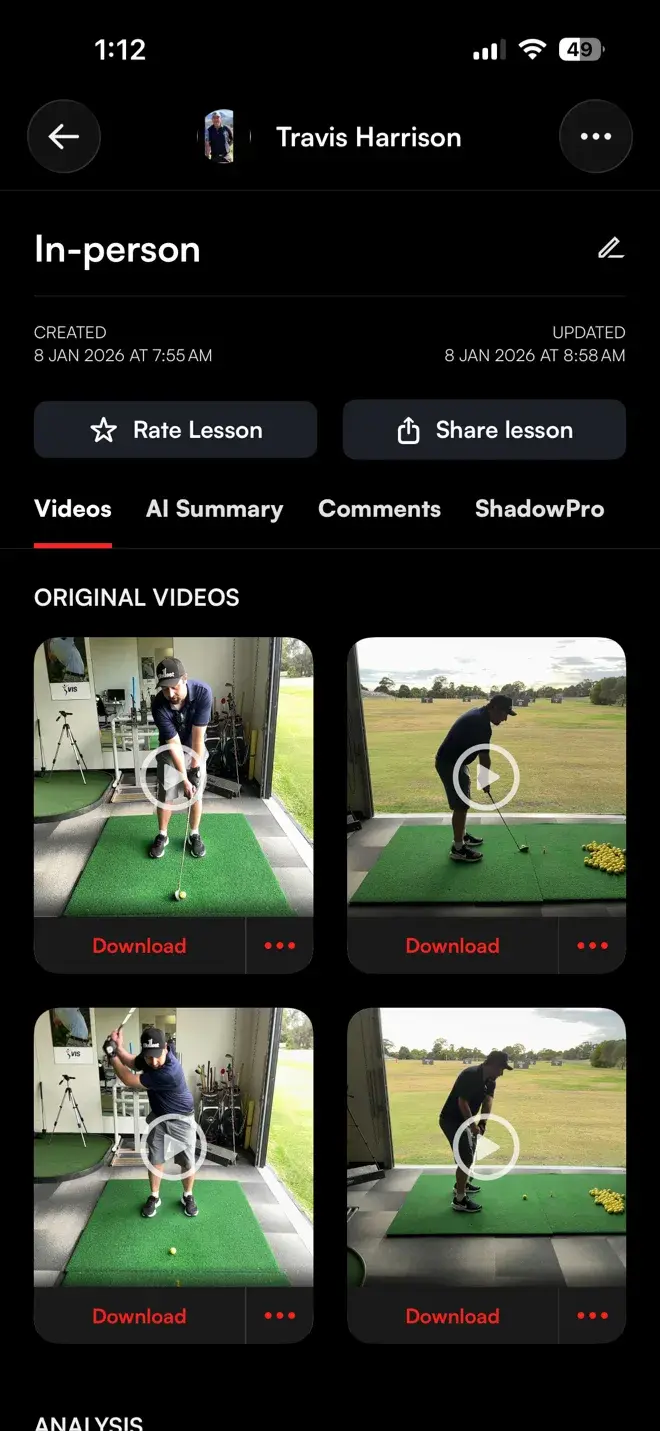
The student drives home with the whole lesson.
Most in-person lessons live on a range receipt and a fading feeling. On Skillest the student keeps the record: the swing videos, your analysis, and a follow-up session with a due date and reference videos. Every lesson stays in their searchable history.
- A lasting record.Swing videos and your analysis, saved to the student, not to your phone.
- One drill, one due date.A follow-up session carries what to work on, the videos that show it, and when it's due.
- Searchable history.Every lesson stays in the student record, easy to find months later.
- The same record for you.Open any past lesson and pick up exactly where you left off.
With Skillest's new world-class calendar system, I now run my entire coaching business — in-person sessions, online lessons, and even webinars — all from one place. It's streamlined everything and given me more time to focus on what actually matters: coaching.
 Keith Bennett · Skillest coach
Take payment without a card machine.
Sell in-person lesson packages, monthly plans and one-off sessions through Stripe. Take payment at booking or on the day. Skillest takes no fee on in-person lessons and packs, and just 1% on subscriptions.
- Prepaid or pay on the day.Take payment when students book, or set single in-person lessons to be paid at the range.
- Lesson packages.Sell a block of in-person lessons and let students book against it.
- Subscriptions.Charge a monthly plan for regular in-person coaching.
- No Skillest fee on lessons.One-off in-person lessons and lesson packs carry 0% platform fee. Subscriptions are just 1%.
- Paid through Stripe.Card payments go straight to your connected Stripe account, no card machine and no chasing.
The write-up does itself on the drive home.
Every recorded in-person lesson can generate an AI summary and a full transcript. Your voice is already on the video, so the notes you used to type up after the range happen in the background instead.
- Summary and transcript in one tap.Skillest generates both from the lesson videos you recorded at the range.
- A live status you can watch.The request moves from requested, to in-progress, to available, then loads into the lesson.
- Lives on the lesson.The summary sits alongside the swing videos, the analysis and the student plan.
- Readable text.Scan what was said, instead of scrubbing back through video.
- Less admin, more coaching.No typing up notes after every session.
Practice between range visits, with an AI partner.
Between in-person lessons, students run a realtime, spoken practice session with ShadowPro, built on your lesson's AI summary. Every session ends with its own summary and a rating.
- A realtime, voice-led session.Students speak to ShadowPro and it responds, in the moment, like a practice partner.
- Built on your lesson.Every session starts from your in-person lesson's AI summary, so practice follows your coaching.
- An AI session summary.Every session produces its own summary so progress is captured, not lost.
- A post-session rating.Students rate the session, giving you a signal on what is landing.
- A reason to come back.Something for students between paid range visits, not just a gap in the calendar.
Keep coaching between visits, not just during them.
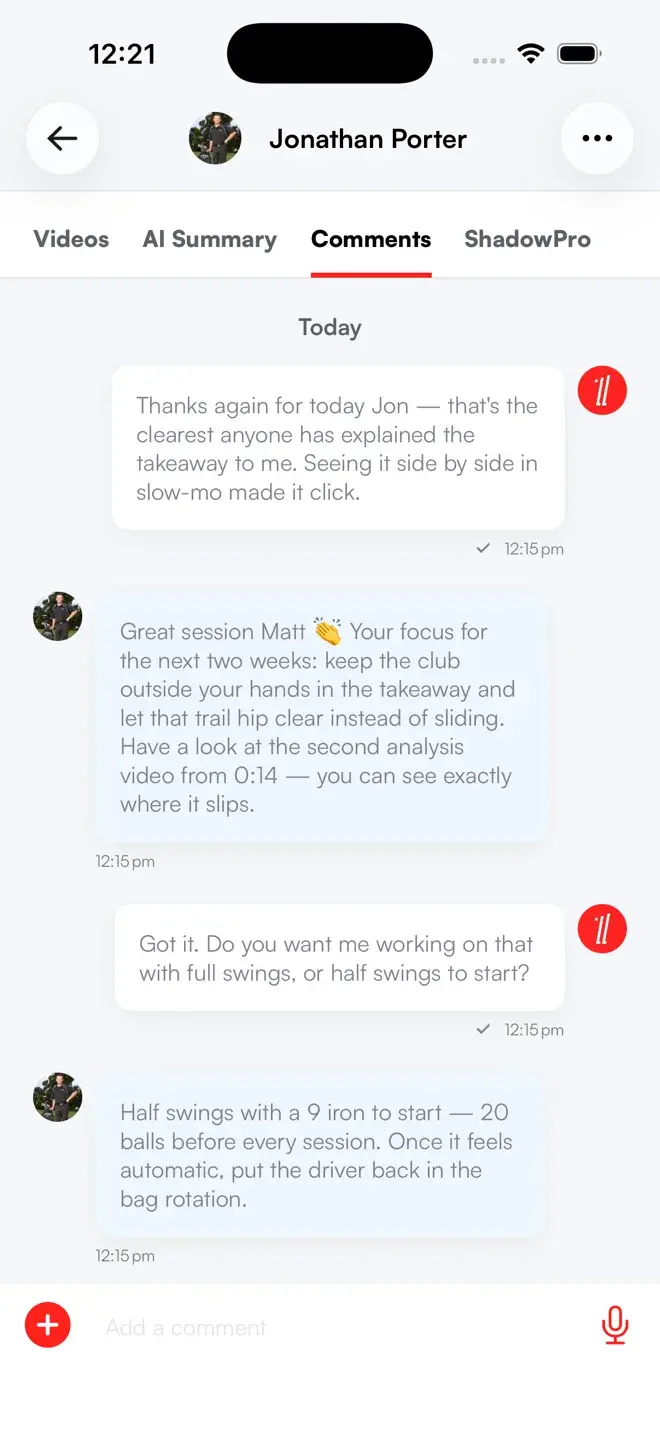
The work does not stop when the student leaves the range. Between sessions they upload a swing for you to review, message you a question, and book the next lesson, all in the same app. In-person and online become one relationship.
- Swings between lessons.Turn on uploads for a student and they can send a practice swing for you to review before the next visit.
- Message any time.Voice notes, video and text keep the conversation going all week.
- Book the next session.The next lesson is one tap away on your booking page.
- One student record.In-person and online lessons sit in the same history and plan.
- One relationship.The player has a coach every day, not only on lesson day.
In-person coaching, fully recorded.
In-person plans
Offer in-person lesson packages, free consultations and Zoom packages on one public booking page.
One-tap transcript
Generate an AI summary and full transcript from the lesson video, ready to review.
Slow-motion
Record swings in slow motion on your phone, with live swing detection and auto-trim.
One drill, one due date
Send a follow-up session with a due date and reference videos the student keeps.
Stripe built in
Take packages, subscriptions and one-off in-person payments through Stripe.
Searchable
Every in-person lesson lives in the student's searchable history.
More than a memory and a receipt.
| Skillest | Pen & paper | Generic booking app | |
|---|---|---|---|
| Lasting lesson record | ✓ | − | − |
| Swing video capture | ✓ | − | − |
| Follow-up session with a due date | ✓ | Partial | − |
| Takes payment for the lesson | ✓ | − | ✓ |
| Searchable lesson history | ✓ | − | Partial |
| In-person + online in one place | ✓ | − | − |
Frequently Asked Questions
In-person lessons, answered.
Can I record an in-person lesson?+−
What does the student get to keep?+−
How do students book and pay for in-person lessons?+−
Can I add students I already coach in person?+−
Do AI summaries work for in-person lessons?+−
What is ShadowPro?+−
Does this work alongside online coaching?+−
Teach in person. Keep every lesson forever.
Earn more, save time, and deliver world-class coaching, on your terms.
7-day free trial for new coaches